
FreeCell Solitaire: Card Games
MobilityWareCard
4.640.89K Reviews
- Version
- 7.2.1.5121
- Installs
- 10.00M
- Age Rating
- Everyone
Screenshots
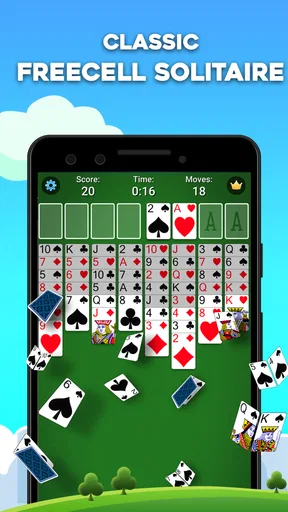
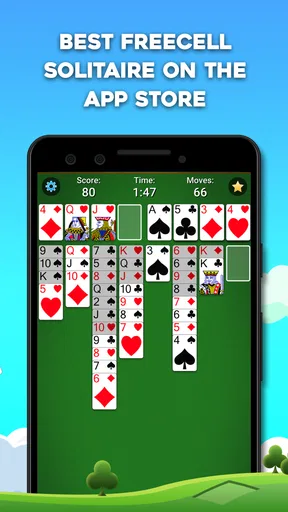
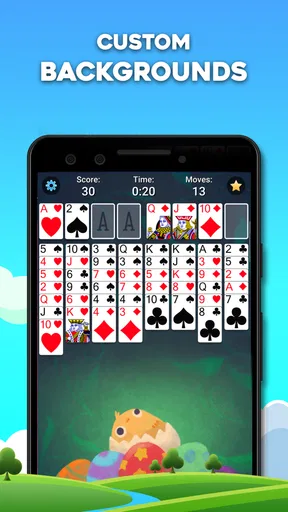
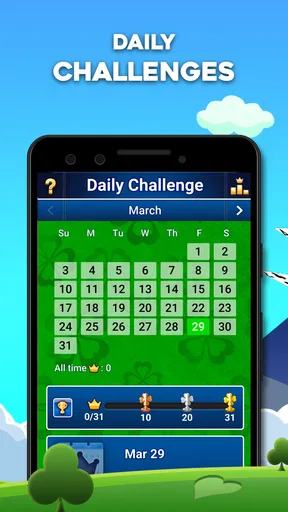
Our Review of FreeCell Solitaire: Card Games
 Analysis by Appyee
I enjoy card games that give me something to think about without demanding a long session, and FreeCell Solitaire: Card Games fits that role particularly well. It is a classic-style solitaire game from MobilityWare, built around the familiar FreeCell layout rather than a story, collection system, or fast multiplayer loop. I can open it for a short break, study a difficult position, and close it without feeling that I have abandoned a larger campaign.
What makes this particular game worth considering is the balance between accessibility and planning. The rules are easy to recognize, but winning consistently requires more than moving cards whenever an opening appears. Empty columns, free cells, suit order, and the timing of each move all matter. My overall impression is that it is best for players who like quiet, methodical card play and want a dependable solitaire option on an Android device.
How the FreeCell format feels in everyday play
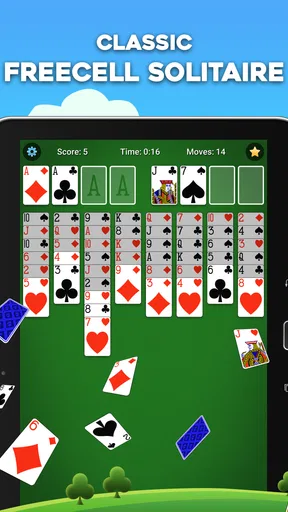
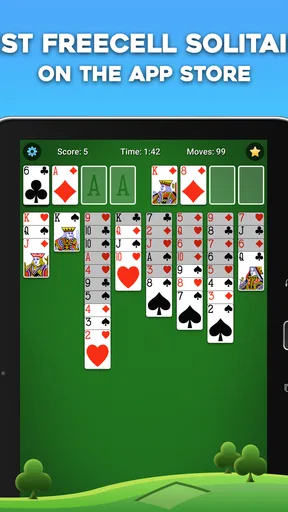
FreeCell differs from many familiar solitaire alternatives because most cards are visible from the beginning. That changes the experience completely. In a typical hidden-card solitaire game, luck often appears in the order that cards are revealed. Here, I can inspect the tableau and make a plan before moving anything. The challenge is less about waiting for the right card to appear and more about avoiding a sequence that blocks the cards I will need later.
The four temporary spaces are the heart of the game. They look harmless, but every occupied space reduces my flexibility. I have learned to treat them as emergency parking rather than convenient storage. If I fill them too early, a move that seemed useful can leave me unable to relocate a longer sequence. That is one of the clearest reasons this game rewards patience: the best move is often the one that creates an empty column, not the one that immediately sends a card toward its final suit pile.
The visible layout also makes mistakes easier to understand. When I lose, I can usually trace the problem to an earlier decision: moving a low card too soon, covering an important card, or using a free cell without considering the next two or three moves. That sense of responsibility is more satisfying than losing to a completely hidden deal, although it can also make a failed attempt feel more personal.
A practical routine helps. Before making the first move, I look for cards that can be sent to the foundation, identify which columns contain buried aces or twos, and check whether an empty column can be created safely. I do not try to calculate the entire game. Instead, I protect flexibility and avoid committing the temporary spaces until I have a clear reason.
A useful choice for short breaks
In an everyday situation, I might play a few deals while waiting for an appointment or during a quiet coffee break. The game works well there because each move can be paused mentally, and the board does not require constant rapid attention. If I need to stop, the position is easy to understand when I return. That makes it more comfortable than a timed action game or a competitive card match where leaving for a moment can hurt another player.
It is also suitable for players who want a simple mental exercise. I can focus on sequencing, preserve open spaces, and test whether a planned move improves the whole board. The game does not need a complicated tutorial to communicate its basic purpose. Anyone familiar with solitaire will recognize the structure quickly, while newer players can learn by experimenting.
Still, FreeCell is not automatically relaxing for everyone. Because the cards are exposed, I sometimes spend longer analyzing a position than I intended. A casual player who wants quick luck, bright rewards, or constant novelty may find the deliberate pace too restrained. This is a planning puzzle wearing the clothing of a card game, not a source of surprise every few seconds.
Progress without turning every deal into a race
The strongest appeal is the feeling of improving my decisions rather than merely hoping for a favorable draw. I pay attention to how many spaces remain open, which cards are blocking movement, and whether a sequence can be rebuilt later. Over time, those small habits make the game feel more readable. I become better at spotting dangerous moves before making them.
That improvement can also create pressure. A difficult board invites repeated attempts, and I can easily turn a short break into a determined effort to solve one stubborn arrangement. For me, this is enjoyable when I choose the challenge deliberately. It is less enjoyable when I keep replaying because I dislike leaving an unfinished position. Players who prefer a clear endpoint after every session should set their own stopping point rather than relying on the game to provide one.
I find it useful to separate experimentation from serious attempts. In an experimental deal, I try a move simply to understand the consequences. In a focused attempt, I preserve the early structure and avoid spending free cells for convenience. This small distinction reduces frustration and makes losses more informative. It also prevents me from treating every mistake as evidence that the game is unfair.
Spending, pressure, and the free download
The game is free to download, which makes it easy to try without committing money at the start. In-app purchases are listed from $1.99 to $29.99 per item. That range is important context for anyone who wants to keep a strict budget: the basic download and optional spending are separate decisions, and I would check each purchase prompt carefully before confirming anything.
I do not treat the presence of purchases as proof that the gameplay is unfair. FreeCell itself is a logic-based solitaire format, so the central question is whether I can enjoy making moves without feeling pushed to spend. My experience of the format is that the board provides the challenge; money should not be necessary to understand the rules or practice the strategy. Even so, players who dislike any purchase prompts may prefer a more minimal card application.
Families should also note the content classification. The game is rated Everyone, which suits its straightforward card-game presentation. That rating does not remove the need for normal device purchase controls, especially if a child can access the device. I would keep purchase confirmation protected and explain that a free download can still contain optional paid items.
For me, the sensible approach is simple: install it for the card play, not because of the possibility of buying extras. If the free experience already gives me enough reason to return, there is no need to spend. If I find that I am only continuing because of a purchase-related advantage or convenience, that is a sign to step back and decide whether the game still fits my habits.
Is the challenge competitive or mainly personal?
FreeCell has an interesting relationship with fairness. Since the cards are visible, I can judge my own choices more clearly than in many chance-heavy solitaire games. A loss often feels like a planning error rather than a mysterious outcome. That makes the experience fair in the personal sense: I am testing my ability to manage a known arrangement.
It is not the same as competing against another person in real time. There is no need to worry about an opponent making a faster move while I am thinking. That is an advantage for players who dislike pressure, but a weakness for anyone looking for social competition, direct rivalry, or a lively matchmaking environment. I would choose a multiplayer card game instead if my main goal were to measure myself against other players.
The visible board also changes how I think about replaying. I can revisit an approach and ask whether a different order would preserve more options. That is more constructive than simply hoping the next deal is kinder. However, I would avoid assuming that every failed attempt is solvable through persistence alone. Without independently checking a position, I cannot turn a personal loss into a claim that the deal was impossible or guaranteed to be won.
This distinction matters for trust. I am comfortable judging the game by the clarity of its FreeCell decisions, but I would not make broad claims about hidden deal generation, competitive rankings, or outcome guarantees. Those are separate questions. The safest conclusion is that the format gives me a transparent board to reason about, while the broader systems surrounding individual deals should be evaluated through actual use rather than assumption.
How it compares with other solitaire choices
Compared with Klondike-style solitaire, FreeCell feels more deliberate because the cards are generally available to inspect. Klondike can deliver more dramatic swings when a hidden card suddenly opens, while FreeCell gives me more responsibility from the first move. I prefer FreeCell when I want a puzzle that rewards planning; I would choose Klondike when I want a lighter blend of luck and decision-making.
Compared with Spider Solitaire, FreeCell is usually easier to read because its central challenge is the management of temporary spaces and sequences rather than building long same-suit runs across several layers. Spider can feel more involved when I want a larger organizational puzzle, but it may also demand more patience. FreeCell is the cleaner choice for a quick strategic session.
Compared with a physical deck, the digital version removes setup, sorting, and the risk of losing cards. That convenience matters when I have only a few minutes. A real deck remains better for people who enjoy the tactile ritual or want to play away from a screen. The app is practical, not a replacement for the feel of paper cards on a table.
Compared with a heavily gamified solitaire app, this game appeals to me when I want the board itself to remain the focus. Players who enjoy elaborate collections, constant missions, or a strong social layer may find it less exciting. Its strength is concentration, and that can feel like a limitation if entertainment value depends on frequent unlocks and changing objectives.
Device fit, longevity, and what I would check first
The game supports Android devices running version 8.0 or later. That makes the compatibility requirement fairly clear before installation: I would check the phone or tablet’s Android version first, especially on an older device. The current version is 7.1.2.5031, so I would also make sure the app is allowed to update normally rather than relying on an outdated installation.
MobilityWare has been associated with this title since its release on September 15, 2011, and the game has remained visible to a large Android audience. Its average rating is 4.6 from roughly 340 thousand ratings, with more than 41 thousand written reviews and over 10 million installs. Those figures suggest that it has broad appeal, but they do not replace my own priorities: a popular solitaire game can still be the wrong fit if I want multiplayer interaction or a more energetic presentation.
The long availability is useful in one practical way: this is not a new concept that needs time to prove whether its basic format works. The FreeCell rules are established, and the game’s identity is easy to understand. At the same time, longevity should not be confused with unlimited support for every device or preference. I would still check how it behaves on my particular phone and whether the purchase approach feels comfortable before settling into it.
Who should install it, and who should skip it?
I would recommend it to someone who likes card puzzles, prefers visible information to blind luck, and enjoys improving through careful sequencing. It is especially suitable for solo players who want a quiet activity that can fill five minutes or occupy a longer focused session. It also works for people who like replayable games without needing a narrative or a large learning curve.
I would be more cautious recommending it to a player who wants direct competition, frequent social interaction, or a fast reward cycle. Someone who dislikes thinking through several consequences may find the open board demanding rather than relaxing. I would also suggest skipping it if optional purchases are a deal-breaker in any free game, even when the card format itself is the main attraction.
For a first session, I would not chase a perfect result. I would use the opening deal to learn how the four temporary spaces affect movement, then restart only after identifying a specific mistake. Keep the spaces open when possible, create an empty column with purpose, and avoid moving a card just because it is currently available. Those habits make the game more enjoyable and reveal why FreeCell has lasted as a distinct solitaire style.
My trust verdict after weighing the trade-offs
The best reason to try this game is the clarity of its central puzzle. I can see the board, make a plan, revise it, and learn from a poor sequence. That is a stronger foundation than a solitaire experience built entirely around waiting for lucky reveals. The free entry point also makes testing the game straightforward, while the Everyone rating keeps its presentation broadly accessible.
My reservations are equally clear. The deliberate format can become mentally demanding, the lack of direct rivalry may disappoint competitive players, and the listed in-app purchase range means budget-conscious users should pay attention to purchase controls. I also avoid assuming anything beyond what I can judge from the visible card experience and the stated product details. Trust comes from keeping those boundaries clear, not from promising more than the game establishes.
Overall, I see FreeCell Solitaire: Card Games as a dependable choice for thoughtful solo card play. It is not the most exciting option for every kind of player, but it gives me a clean reason to return: each deal asks me to manage space, timing, and consequences. If that sounds more appealing than flashy progression or head-to-head competition, I think MobilityWare’s game is worth trying.
Its strongest use is as a focused companion for ordinary downtime: a few minutes while waiting, a calm evening puzzle, or a repeatable mental exercise when I want something more engaging than scrolling. I would install it with realistic expectations, protect my purchase settings, and judge it by the quality of its decisions rather than by promises of endless novelty. On those terms, it earns a place among the more approachable solitaire card games for Android.
Privacy and Permissions
See what permissions an app requests and how it handles your data.
- Other
- view network connections, full network access, control vibration, prevent device from sleeping, Google Play license check
Verdict
Strengths of FreeCell Solitaire: Card Games
- Classic FreeCell rules are easy to learn and suitable for casual play.
- Helpful hints can guide beginners when they get stuck.
- Games are generally quick enough for short playing sessions.
- Simple card layouts keep the focus on solving each deal.
- Works well for players who enjoy thoughtful, low-pressure gameplay.
Limitations of FreeCell Solitaire: Card Games
- Some deals can feel repetitive after extended play sessions.
- Hints may reduce the challenge for experienced solitaire players.
- Ads can interrupt the game, depending on the version used.
- Small cards may be difficult to read on compact phone screens.
- Limited variety compared with solitaire apps offering many game modes.
Other Releases by MobilityWare
View All

Similar Picks in This Category
View All
Solitaire - Classic Card Games
MobilityWare4.6

UNO!™
Mattel163 Limited4.3

Spider Solitaire: Card Games
MobilityWare4.6

Solitaire.com - Classic Cards
Tripledot Studios Limited4.7

Plants vs. Zombies™ Heroes
ELECTRONIC ARTS4.1

Hearthstone
Blizzard Entertainment, Inc.4.1
Frequently Asked Questions
What is FreeCell Solitaire: Card Games?
FreeCell Solitaire: Card Games is a digital version of the classic single-player card game where the objective is to move all cards to the foundation piles, organized by suit and in ascending order. Unlike many solitaire variations, most cards are visible from the beginning, so success depends more on planning, patience, and strategic moves than on luck.
How do you play FreeCell Solitaire: Card Games?
At the start of a game, cards are arranged in tableau columns, with four free cells available for temporarily holding individual cards. You build tableau sequences in descending order while alternating colors, then move cards to the foundation piles from Ace through King. Before making a move, it is important to consider available spaces, card order, and how many cards can be moved safely.
Is FreeCell Solitaire: Card Games suitable for beginners?
Yes, the game is generally easy for beginners to understand because the rules are straightforward and nearly all cards are visible from the start. New players may need a little practice to learn how to use the free cells effectively and avoid blocking important cards. Helpful interface controls, such as undo options or hints when available, can make the learning process more comfortable.
Can FreeCell Solitaire: Card Games be played offline?
FreeCell is commonly designed as a casual game that can be enjoyed without a constant internet connection, which makes it convenient for travel, commuting, or short breaks. However, certain features may depend on connectivity, including advertisements, analytics, cloud synchronization, daily challenges, or online statistics. It is best to check the app’s current store description and permissions before downloading.
Is FreeCell Solitaire: Card Games free to download and does it contain ads?
The game is typically available as a free download, allowing users to play without paying an upfront purchase price. Like many free card games, it may support its development through advertisements, optional in-app purchases, or premium upgrades that remove ads and unlock additional features. Review the Google Play or App Store listing carefully for current pricing, advertising details, and any optional purchases before installing.
Play our best games!


